 Contacts
Contacts
Enriched Play listing★ 4.5 (17.8K ratings on Google Play)1,000,000+ installs on Google PlayCommunicationSynced Jul 18, 2026
Contacts (com.contacts.icontact.contactshandler) by Internet browser.
Key facts
- Package name
- com.contacts.icontact.contactshandler
- Min Android
- 6.0
- Updated
- Jun 20, 2026
- Play rating
- 4.5
- IAP
- No
- Content rating
- Everyone
- Genre
- Communication
Publisher description (from Google Play)
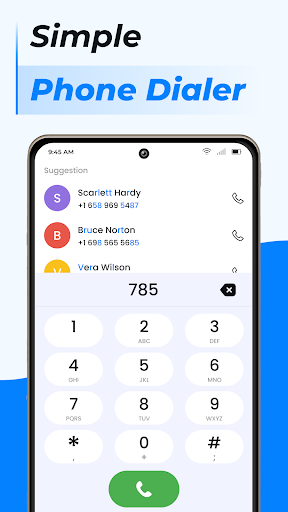
Manage all of your android phone's contacts with ease! Contacts is the best tool that helps you quickly manage your recent contacts list. Contacts plus only takes a few seconds to get in touch with one of your contacts. Contact app also lets you share any of your contacts, new contacts with the click of a button. You never have to worry about having to figure out how to send one of your contact's number or information. You can also block calls or text messages and update your personal profile and status. You can easy to use free features for contacts backup & contacts sync. Features: Add a new contact in phone book • If you meet someone new and get their contact information, address book is easy to add them to your phone. Edit a contact • Did your friend just get a new job and a new work number? Just follow these steps to edit their contact information. Manage duplicate contacts • If your friend keeps getting a new number, things can get confusing. Instead of having their name repeat multiple times in your Contacts, just link them together. My contacts • You can also share your profile information and gmail contacts with others. That way, you can send your contacts one big message, instead of typing it out every time. Use my contacts backup for contact transfer from phone call app. FAVORITES + PHONE CALL LOG • One tap to call your favorite contacts on your phone • Quickly call your frequently used contacts After Call Features • Our contacts app uses the FOREGROUND_SERVICE_SPECIAL_USE permission to provide call-related features. When an incoming or outgoing call is detected, the app starts a foreground service to display helpful call widgets, allowing users to quickly end calls, mute calls, access the calendar with a single tap without interrupting the call screen, and send quick messages. Once the call ends, the foreground service stops automatically and all call widgets are removed. The app also display an After Call screen, allowing users to quickly access the contacts, recent calls immediately after a call. These features are completely can be enabled or disabled at any time from the app settings. We do not record phone calls or access any data through these features. Contact Manager contacts is a fast dialer for your Android phone, powered with Call Block, Caller ID, Smart Contacts Search, Call Log History. Replace your stock phone App and take your phone calling experience to the next level. contacts is easier to use than any other dialer and offer po
Listing classification
Play genre: Communication. Content rating: Everyone.
Background and observed updates
Release information
Google Play lists a release date of 2022-11-25 for com.contacts.icontact.contactshandler.
Recent Play Store update
Play updated this listing on 2026-06-20.
Observed version timeline
1 observation recorded for com.contacts.icontact.contactshandler.
Version snapshots are not in the catalog yet. Confirm the current listing on Google Play.
Install paths
Confirm identity on Google Play
Open Contacts on Google Play. Confirm package com.contacts.icontact.contactshandler and developer Internet browser before installing.
Open the Google Play listing to confirm the current version and size.
APK Download does not host APK files. Install from the official Google Play listing when it is available.
Screenshots
Preview images from the Google Play listing.




Alternatives preview
Same-category apps from the catalog. Full comparison lands on the alternatives page.


Safety signals
Publisher: Internet browser. Package: com.contacts.icontact.contactshandler. Play content rating: Everyone. Publisher privacy policy linked from the Play listing.
FAQ
Does Contacts offer in-app purchases?
The Google Play listing does not indicate in-app purchases (checked Jun 20, 2026).
What Android version does Contacts need?
Android 6.0 or later, per the listing observed Jun 20, 2026.
What is the content rating for Contacts?
Google Play lists the content rating as Everyone (checked Jun 20, 2026).
What is the Google Play rating for Contacts?
4.5/5 from 17.8K ratings on Google Play (checked Jun 20, 2026).
What is the package name for Contacts?
The Android package name is com.contacts.icontact.contactshandler.